
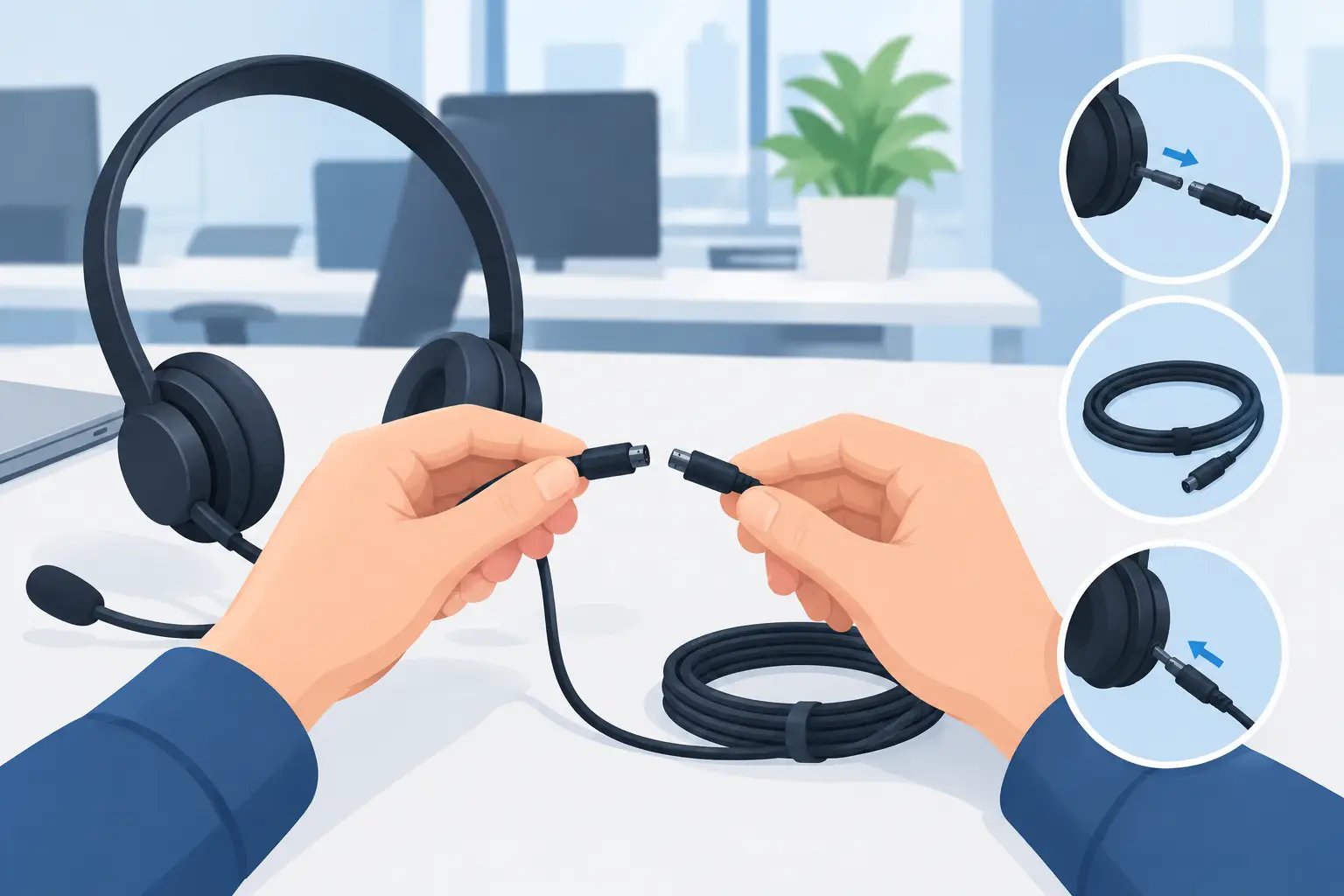
Headset Cable Replacement Procedure for Offices
Posted by Tech Support @ Telephoneheadsets.net on 26th Nov 2026
A damaged lead can look like a minor accessory issue, yet it can cause intermittent audio, failed microphone transmission and avoidable downtime across an office. A correct headset cable replacement procedure starts by identifying the connection type, not by ordering the first cable that looks similar. RJ9, RJ11, USB, Quick Disconnect and proprietary connections can have different wiring, controls and compatibility requirements.
For a single user, replacing a cable may take only a few minutes. For an IT team or contact centre supervisor, the priority is ensuring the replacement works with the existing headset, telephone and working setup without introducing a new fault. The process below helps you make that check before a user loses valuable call time.
Headset cable replacement procedure: identify the failed part
First establish whether the cable is actually the source of the fault. A headset with poor audio can also be affected by a worn microphone boom, a loose headset connector, a damaged handset port or an incorrect electronic hook switch setting. Test the headset on a known-working compatible phone or computer where practical. If the fault follows the cable or disappears when a known-working lead is fitted, replacement is the sensible next step.
Look for physical signs as well. Splits around the strain relief, flattened sections where a chair has rolled over the lead, exposed conductors and a connector that no longer locks firmly are clear reasons to replace it. Intermittent sound when the cable is moved is another common indicator.
It helps to separate the cable types involved. A modular telephone cable usually connects the headset or amplifier to the desk phone. A Quick Disconnect lead joins a compatible headset to its lower cable, allowing the user to leave their desk without removing the headset. A USB cable may be detachable on some models but permanently fitted on others. Do not assume a cable can be replaced independently simply because there is a visible join.
Confirm the connector and pin configuration
Physical fit is only one part of compatibility. Two modular plugs may appear identical while having a different pin arrangement. Connecting an unsuitable lead can result in no microphone audio, low receive volume, distorted calls or no dial tone.
Check the exact make and model of the headset and the telephone. This information is normally printed on the underside of the desk phone, on the headset label or within the device settings for USB equipment. Record whether the headset connects directly to the telephone headset socket, through an amplifier, or via a Quick Disconnect lead and separate bottom cable.
The distinction between RJ9 and RJ11 is particularly relevant in office telephony. RJ9 is commonly used for handset and headset connections, while RJ11 is more commonly associated with telephone line connections. Plug dimensions and wiring can vary, so an RJ11 lead should not be selected simply because it appears close in size to the existing connector.
For USB headsets, identify the connector at both ends. A detachable cable may use USB-A, USB-C, micro-USB or a manufacturer-specific fitting at the headset end. A replacement also needs to support the controls fitted to the headset, such as mute, volume adjustment and call answer functions. A basic charging or data cable may fit but not provide the expected headset operation.
Prepare the workstation before fitting the new cable
Disconnect the existing cable with the phone or computer idle. This avoids interrupting an active call and makes it easier to tell whether a fault has been resolved after reconnection. If the cable runs beneath a desk, take a moment to trace its route before removing it. In busy workstations, headset and handset cables are often crossed or tied together.
Avoid pulling on the cable itself. Hold the plug body, release any locking tab carefully and withdraw the connector straight from the socket. Pulling at an angled or snagged lead can damage the port as well as the cable.
Before fitting the replacement, inspect the socket for dust, bent contacts or damage to the retaining clip. A loose connection may be caused by a worn headset socket rather than the cable. If the port appears damaged, further cable changes are unlikely to resolve the issue and the telephone or adapter may need assessment.
Fit the cable without creating a new strain point
Connect the replacement lead firmly at both ends. A modular plug should click into place, while a Quick Disconnect should seat fully without excessive force. USB connectors should insert cleanly in the correct orientation. If a connector needs force, stop and recheck the fitting rather than risking damage to the headset or desk phone.
Route the lead so it does not cross chair wheels, sharp desk edges or drawer runners. Leave enough slack for normal head movement, but avoid loose loops that can catch on armrests. In shared offices and call centres, a short cable guide or simple desk clip can reduce repeat failures considerably.
Where a headset uses a Quick Disconnect connection, make sure the user understands that it is designed for controlled separation, not for repeated pulling. It is useful for stepping away from the desk, but the lower cable and connector still need to be handled carefully.
Test audio, microphone and call controls
Do not treat a visible connection as proof of compatibility. Place a test call or use an approved audio test tool and check both receive and transmit audio. Ask the other party whether your voice is clear, at a normal level and free from crackling. Then listen for balanced volume and background noise through the earpiece or both earpieces on a duo headset.
Test the key functions used in normal work. These may include mute, volume controls, call answer and end buttons, and any inline controls. On a desk phone, confirm that lifting the handset, pressing the headset key or using a compatible remote answer solution delivers audio to the correct device.
If there is no dial tone or microphone audio, do not immediately assume the new cable is faulty. Check whether the phone requires a dedicated compatibility cord, an amplifier setting or a different headset port. Some desk phones also have a configuration switch that must match the headset connection method.
Common faults after cable replacement
One-way audio is often a compatibility issue, particularly with modular cables that have different wiring. Low volume may point to a telephone setting, an amplifier configuration or a cable intended for another headset family. Crackling that continues with a new lead can indicate a headset speaker fault or a damaged port.
For USB headsets, remove and reconnect the device, then check that the correct headset is selected for input and output in the computer or softphone settings. If call controls do not work, the headset may require its original cable, supported software or a compatible USB adapter. Replacing only the cable cannot correct a configuration issue.
Standardise replacements for multi-user teams
For organisations with several desk phone models, buying generic spare cables can create more problems than it solves. A cable that works perfectly with one handset or headset range may be unsuitable for another. Keeping a record of headset model, phone model, connection type and any adapter used makes future replacement faster and more accurate.
A practical stock approach is to hold approved spares by headset family and workstation type rather than by appearance. Label the packaging with the compatible phone or headset models, especially where RJ9-style plugs are involved. This reduces the chance of an incompatible lead being fitted during a busy shift.
TelephoneHeadsets.net supports this compatibility-led approach by helping buyers match headset solutions to specific telephone brands and models. For replacement cables, the same principle applies: the correct connection path matters more than a similar-looking plug.
Before returning a user to live calls, leave the replacement cable in normal working position and complete one final test. A clear call now, combined with a properly routed cable, is the best way to avoid the same desk generating another support ticket tomorrow.